Note
Click here to download the full example code
Advanced Usage
The Cornetto class is the stateful interface:
it caches KDEs and statistics so you can render multiple figures from the same
dataset without recomputing. This section also shows styling options — palettes,
dark theme, truth line customisation, and the
pairplot comparison layout.
Shared synthetic posterior
import numpy as np
from cornetto import Cornetto, corner

rng = np.random.default_rng(0)
N = 20_000

data = {
    "mass_1": rng.normal(30, 4, N),
    "mass_2": rng.normal(25, 3, N),
    "spin":   rng.uniform(-1, 1, N),
    "dist":   rng.exponential(400, N),
}

labels = {
    "mass_1": r"$m_1\,[M_\odot]$",
    "mass_2": r"$m_2\,[M_\odot]$",
    "spin":   r"$\chi_{\mathrm{eff}}$",
    "dist":   r"$d_L\,[\mathrm{Mpc}]$",
}
Using the Cornetto class
Instantiate once, then call .plot(), .marginal(), .trace() and
.trace_marginal() as many times as needed. KDEs are computed once and
cached.
c = Cornetto(
    data,
    labels=labels,
    chain_labels=["GW200129"],
    truths={"mass_1": 30.0},
    stat="median_hdi",
)

fig, axes = c.plot(color="indigo")
![$m_1\,[M_\odot]$ = $30.0^{+4.2}_{-3.7}$, $m_2\,[M_\odot]$ = $25.0^{+2.9}_{-3.1}$, $\chi_{\mathrm{eff}}$ = $-0.01^{+0.45}_{-0.90}$, $d_L\,[\mathrm{Mpc}]$ = $272^{+179}_{-272}$](../images/mkd_glr_plot_3_advanced_001.svg)
Summary statistics
c.summary() returns a SummaryTable — renders as an HTML table in
Jupyter and as plain text in the terminal.
Out:
+--------+----------+-----------+--------+--------+-----------+--------+
| param  | chain    | median    | p16    | p84    | mean      | std    |
+--------+----------+-----------+--------+--------+-----------+--------+
| mass_1 | GW200129 | 29.98     | 26.08  | 34     | 30.02     | 3.984  |
| mass_2 | GW200129 | 25        | 21.96  | 27.98  | 25        | 3.023  |
| spin   | GW200129 | -0.007335 | -0.683 | 0.6804 | -0.001651 | 0.5783 |
| dist   | GW200129 | 271.8     | 69.5   | 732.4  | 399.3     | 405.6  |
+--------+----------+-----------+--------+--------+-----------+--------+
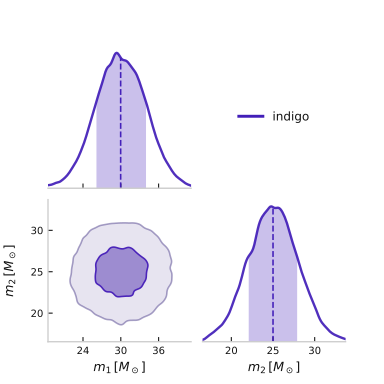
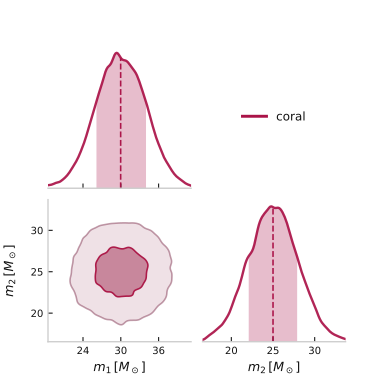
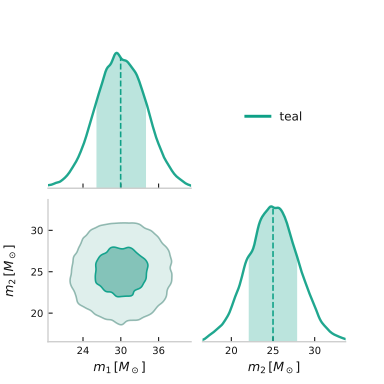
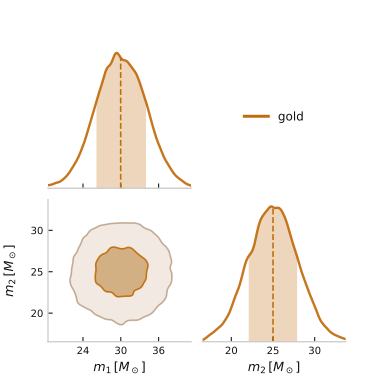
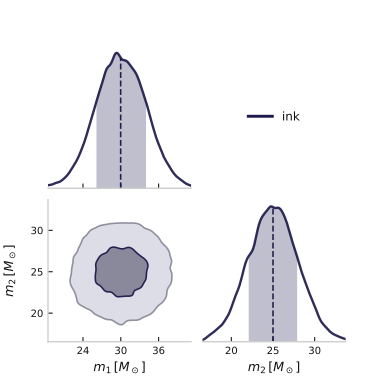
All named palettes
Five built-in single-chain palettes:
"indigo" (default), "coral", "teal", "gold", "ink".
for color in ["indigo", "coral", "teal", "gold", "ink"]:
    fig, axes = corner(
        {k: data[k] for k in ["mass_1", "mass_2"]},
        labels={k: labels[k] for k in ["mass_1", "mass_2"]},
        chain_labels=[color],
        color=color,
        show_titles=False,
    )
Custom truth line styling
Pass kwargs_truths to change the look of truth crosshairs and markers.
fig, axes = corner(
    data,
    labels=labels,
    truths={"mass_1": 30.0, "spin": 0.0},
    chain_labels=["GW200129"],
    kwargs_truths={"ls": "-.", "lw": 1.5, "marker": "*", "markersize": 8},
)
![$m_1\,[M_\odot]$ = $30.0^{+4.0}_{-3.9}$, $m_2\,[M_\odot]$ = $25.0^{+3.0}_{-3.0}$, $\chi_{\mathrm{eff}}$ = $-0.01^{+0.69}_{-0.68}$, $d_L\,[\mathrm{Mpc}]$ = $272^{+461}_{-202}$](../images/mkd_glr_plot_3_advanced_007.svg)
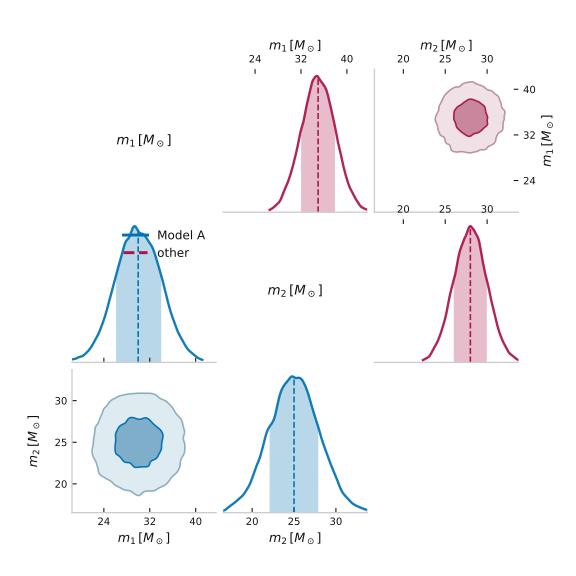
Pairplot — lower vs. upper triangle
Cornetto.pairplot(other) overlays two chains on a single corner grid:
self on the lower triangle + diagonal, other on the upper triangle.
data_B = {
    "mass_1": rng.normal(35, 3, N),
    "mass_2": rng.normal(28, 2, N),
}

a = Cornetto(
    {k: data[k] for k in ["mass_1", "mass_2"]},
    labels={k: labels[k] for k in ["mass_1", "mass_2"]},
    chain_labels=["Model A"],
)
b = Cornetto(
    data_B,
    labels={k: labels[k] for k in ["mass_1", "mass_2"]},
    chain_labels=["Model B"],
)

fig, axes = a.pairplot(b, other_color="coral")
Annotation: tension and peak markers
show_tension=True prints the overlap-integral 2-D tension in each
off-diagonal panel; annotate_peaks=True marks local PDF maxima on
the diagonal.
fig, axes = corner(
    {k: data[k] for k in ["mass_1", "mass_2"]},
    labels={k: labels[k] for k in ["mass_1", "mass_2"]},
    chain_labels=["GW200129"],
    annotate_peaks=True,
)
![$m_1\,[M_\odot]$ = $30.0^{+4.0}_{-3.9}$, $m_2\,[M_\odot]$ = $25.0^{+3.0}_{-3.0}$](../images/mkd_glr_plot_3_advanced_009.svg)
Total running time of the script: ( 0 minutes 2.694 seconds)
Download Python source code: plot_3_advanced.py